Find
Point it at a staging address you are allowed to test. The scan stays inside the limits you set.
 Evidence Engine
Watch the walkthrough
Evidence Engine
Watch the walkthrough
Windows 11 desktop app · prelaunch
Evidence Engine is a Windows app that scans a staging site for failed pages, broken same-site links, failed images and scripts, script errors and horizontal overflow. It then gives a developer evidence to recheck, without you writing a Playwright test.
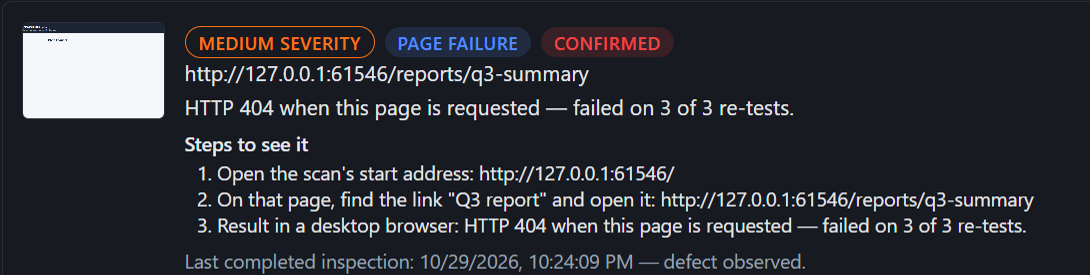
Illustration One finding, from check to recheck
Scan a staging address you are allowed to test, from your PC.
Runs locallyA 404 on a linked page, re-tested three times on its own address.
Confirmed · 3 of 3 re-testsReport, audit trail, screenshots and a SHA-256 manifest in one zip.
Handed overThe site's developer makes the change. Evidence Engine never edits the site.
Done by a personOne clean recheck reads Not reproduced yet; the second reads Resolved.
Resolved after two clean checksA simplified illustration of the sequence. The outcomes named here are the ones the recorded run produced on a test site; the recording itself is the walkthrough below.
The recorded walkthrough
About a minute and a half of the real application scanning a test site: the scan, one finding and its reason, the Evidence Pack, the developer's fix and the recheck. Playback starts only when you press play.
Demo — scan of a test site. 83 seconds, captions on, no sound. The real application scanning a local test site that this project controls: the scan, a finding and its reason, the Evidence Pack export, the developer's fix, and the recheck.
Some waiting is cut so the film stays short. Every cut is marked on screen and in the captions:
00:00Evidence Engine 0.2.0, build 0a8c9ca0. A scan of a local test site this project controls: up to 4 pages and 6 links, depth 1, 5 minutes.
00:00The scan runs, shown at 3 times speed. It took 24 seconds.
00:07Scan complete: two findings.
00:11Finding 1, high: a JavaScript error on the contact page, with its reason and steps.
00:18Finding 2, medium: the Q3 report page returns HTTP 404 on 3 of 3 re-tests. Confirmed.
00:28Site pages and technical audit. The scan has to be declared a staging copy or the live site first, because the same page can be right on one and wrong on the other.
00:37The site graph: the pages this scan opened and the links between them, from the start page. It shows only what the scan reached.
00:46The audit log lists every check attempted or skipped.
00:52Export the Evidence Pack: report, audit files, screenshots, SHA-256 manifest.
00:58The developer fixes the test site. Evidence Engine does not edit it.
01:03Recheck: the link loads. One clean recheck reads Not reproduced yet.
01:09A second clean recheck reads Resolved. It takes two in a row.
01:14The script error reads Not reproduced yet. Not seen again is never marked Resolved.
The same four steps as the walkthrough. The developer makes the fix; Evidence Engine never edits the site.
Point it at a staging address you are allowed to test. The scan stays inside the limits you set.
The finding shows the measured reason, the pages the scan opened, and the confirmation result.
The person who owns the site makes the change. Evidence Engine does not edit the site.
Run the check again. Resolved takes two clean checks in a row.
The finding names the address, the measured reason and the steps to see it. It was re-tested three times on its own address before it was called Confirmed. Full-size capture.
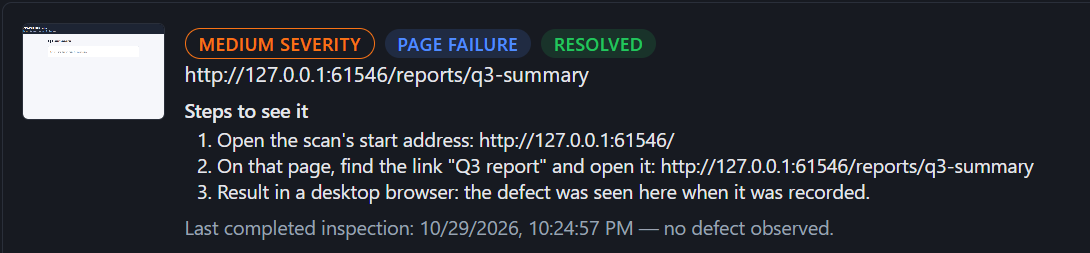
The developer fixed the test site. Evidence Engine did not change it. One clean recheck reads “Not reproduced yet”; the second reads “Resolved”. Full-size capture.
Every finding names the address, the measured reason and the steps to see it, and says what it does not claim. This is one from the demo scan.
Medium severity, a page failure, Confirmed. Severity comes from what was observed: a 4xx response is medium.
The exact page, so a developer opens the same thing.
HTTP 404 when the page is requested. Confirmed means it failed on all 3 re-tests of its own address.
Start address, the link the scan followed, and the result in a desktop browser.
The failed request is directly observed. Whether it affects a wider user flow is not assessed.
One export builds one zip for the scan you just ran. A client can read the PDF. A developer can read the audit. The manifest lists a SHA-256 hash of each file. The pack is a local record, not a compliance certificate.
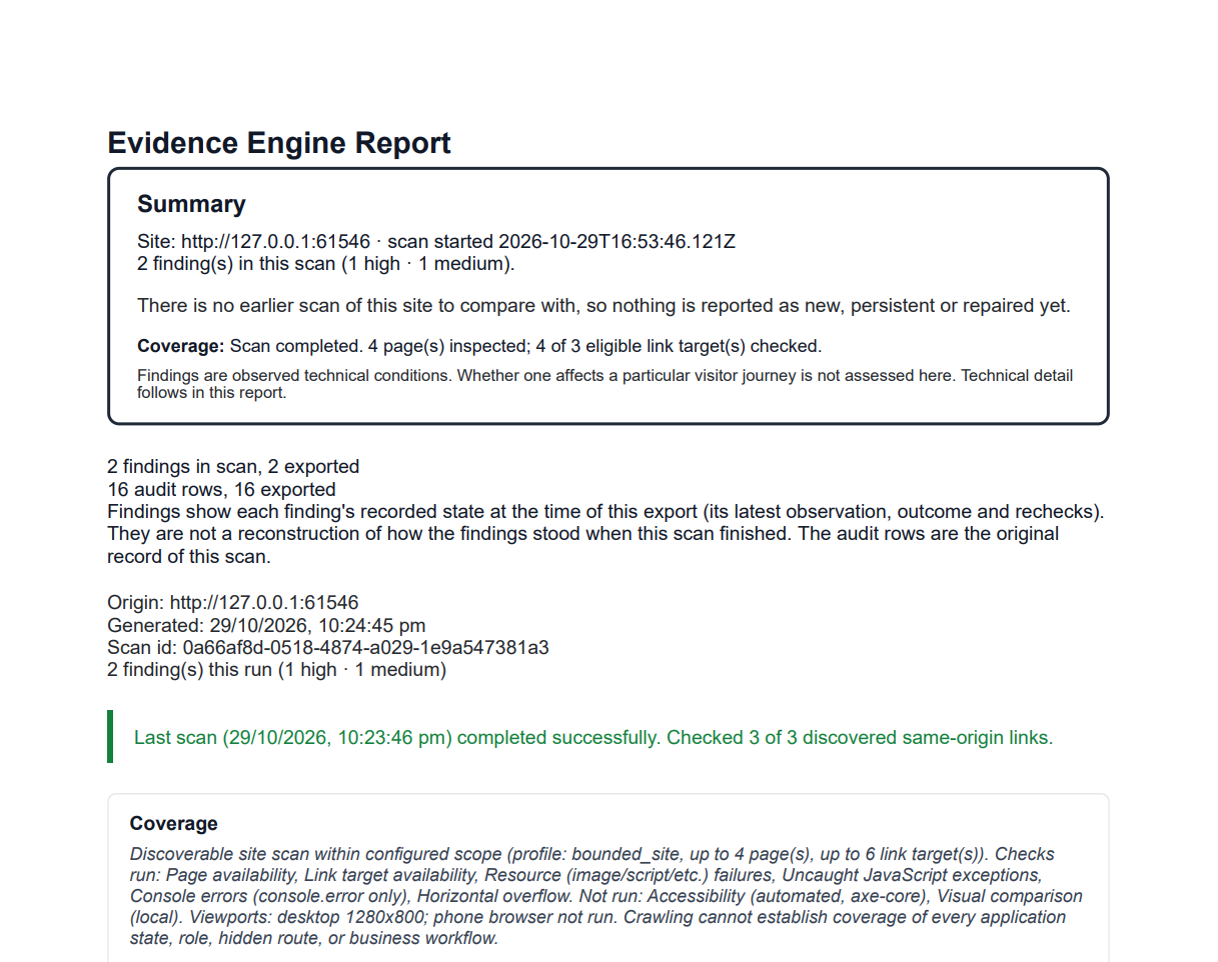
evidence-report.pdfFor the client. Findings ordered high, medium, low, with coverage and what was not checked.audit.csv · audit.jsonFor the developer. Every check attempted or skipped, with the reason, and the scan's configuration.screenshots/Each screenshot, named by an evidence id that audit.json and the handoff viewer cite; the PDF shows it beside its finding. A link that was only requested, never opened as a page, has none.handoff/index.htmlAn offline viewer a recipient can open without Evidence Engine.MANIFEST-SHA256.txtA SHA-256 hash of every file, so a recipient can see whether anything changed after export.2 findings in scan, 2 exported 16 audit rows, 16 exported 6947a113ff2c2fcd…eeb93049 README.txt 73f148e9a5e0057f…1796e43b handoff/index.html 38288ed2993ae91c…a8428fc7 evidence-report.pdf
Download the demo Evidence Pack (.zip)
240 KB, exported by the app from the scan in the film.
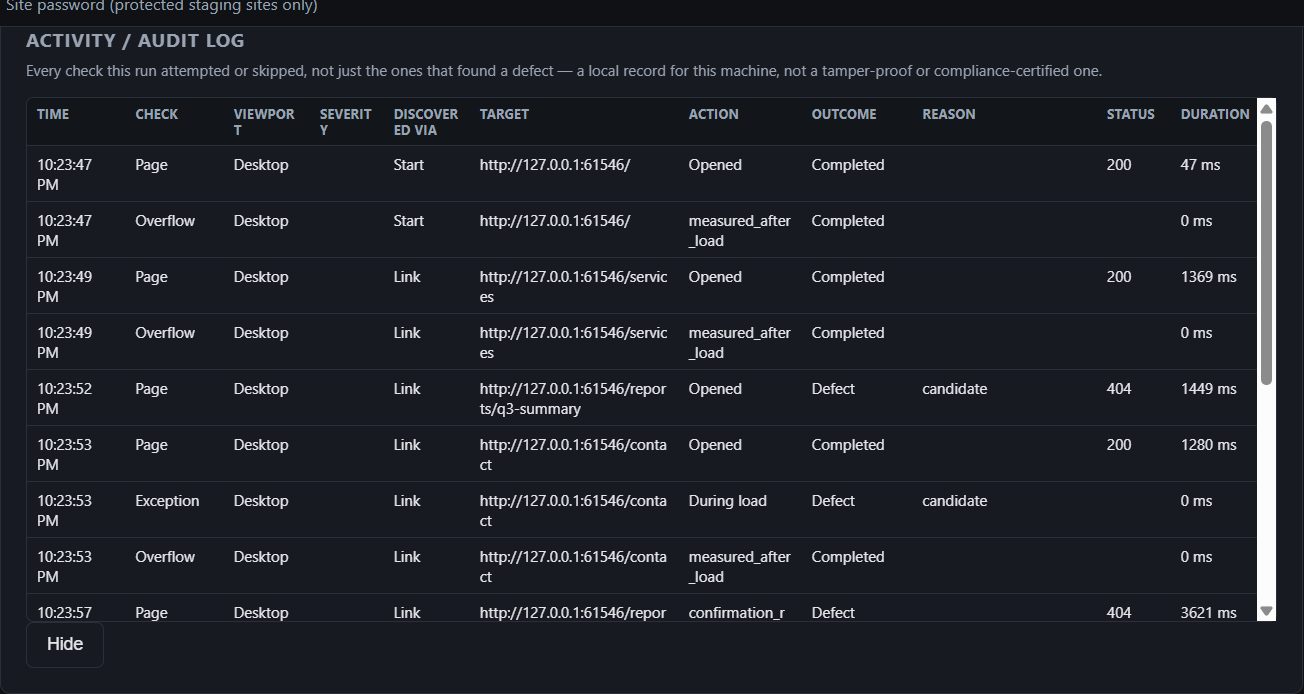
Supported checks on same-origin pages, run with the limits you choose. The product page has the full list and the ceilings.
Pages and same-site links that return an error. Timeouts, odd redirects and rate limits are reported as “unable to verify”, never as defects.
Images and scripts that fail to load, uncaught JavaScript exceptions and console.error messages, with secrets in the error text redacted.
Overflow at desktop size and in a separate phone-sized browser. The phone pass revisits pages already opened.
Two optional checks stay off unless you turn them on: an automated accessibility check (axe-core) and a local visual comparison. What they do and do not claim.
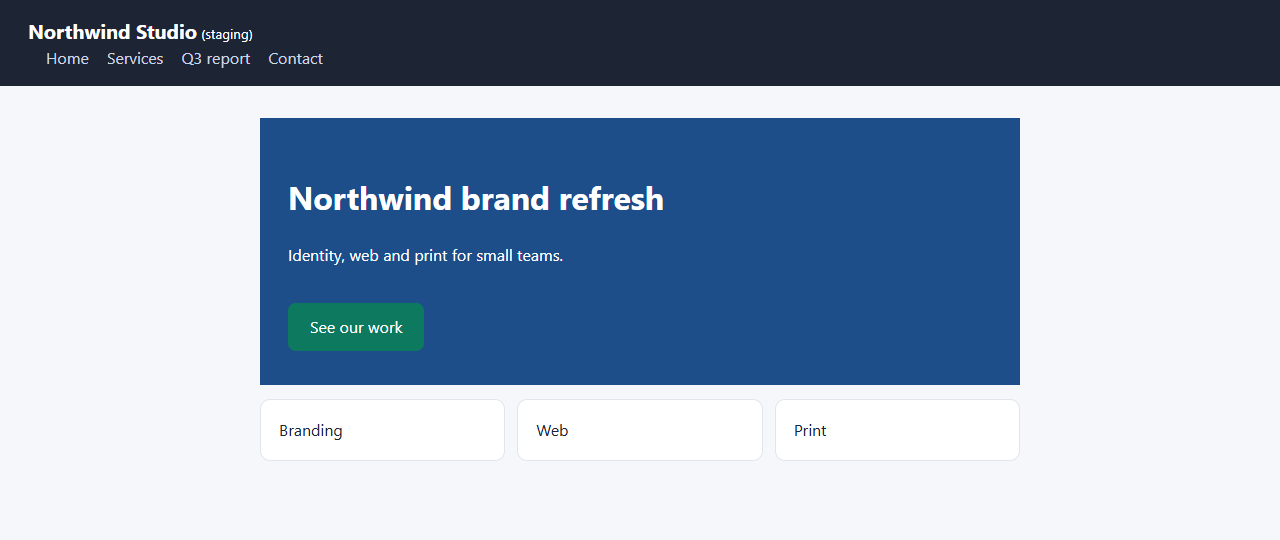
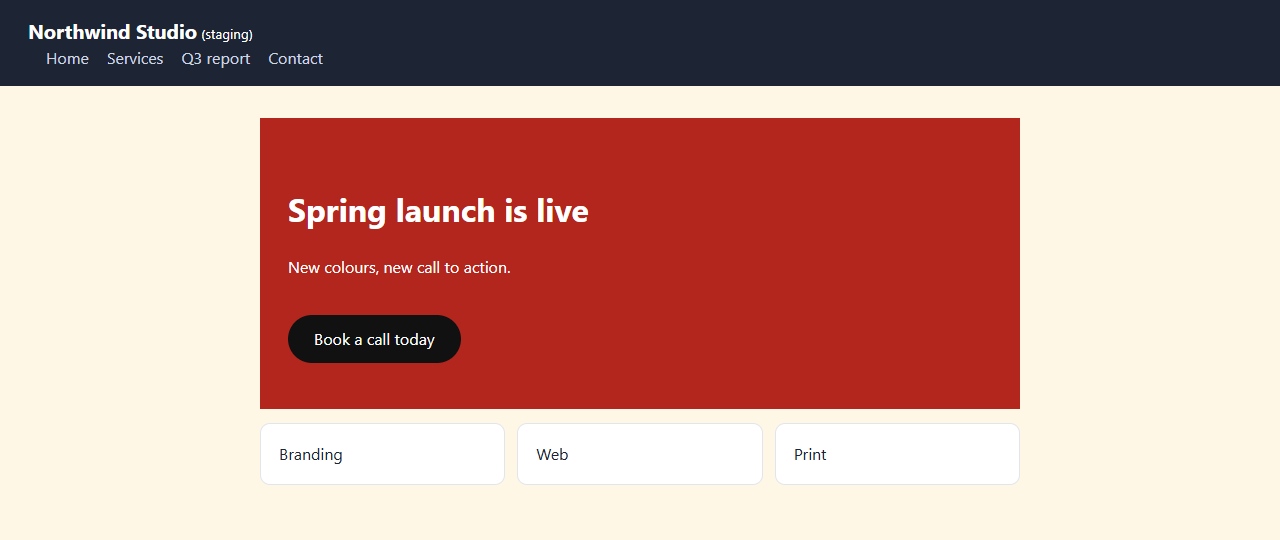
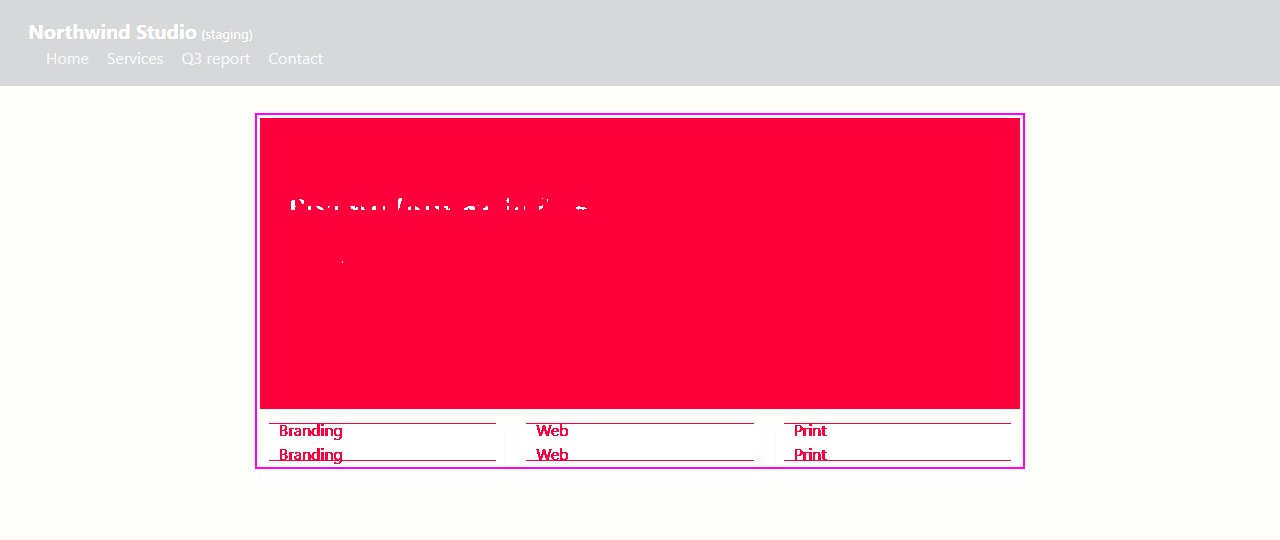
An optional local check compares a picture of the page with one you approved earlier on this PC. A difference is something for a person to review; it is not called a defect. These pictures are a fixture example from the demo scan.
The limits are on the product page too. They are here so nobody has to look for them.
Prelaunch. Checkout is not open, the 7-day trial is not open, and nothing on this site downloads the installer. This site does not take payment.
Evaluate the checks on one PC with the trial limits. The paid license is one year of scanning.
7 days · no card · one Windows user on one PC
$299/year · one Windows user on one PC
It reopens pages already inspected at 390×844 and checks horizontal overflow only. It is not a second crawl. FAQ.
Evidence Engine does not collect the website-login password. You enter it directly into the isolated browser. Privacy.
The ceilings, and what is left unvisited, are on the product page.
Evidence Engine is built by Sumit Saurabh in India and sold as Evidence Engine QA. Questions go to evidenceengine.support@gmail.com.
Scans, screenshots, and Evidence Packs stay on the PC. The app has no analytics. Activation sends Lemon Squeezy the license key, an instance id, and a name built from the PC name. This site sets no cookies and loads no third-party scripts. Privacy.
Not shown: the installer, signing, license activation, checkout or any real customer site. The film was recorded from the unpackaged development build named above, not from a packaged installer; a later build may differ.
The walkthrough shows the evidence a developer rechecks after the fix.